
Video meetings that just work.
HD video and audio, screen sharing, and real-time chat — from an instant one-click call to a scheduled meeting with your whole team.
See NCHUA in action
Real screens from the actual product — not mockups.
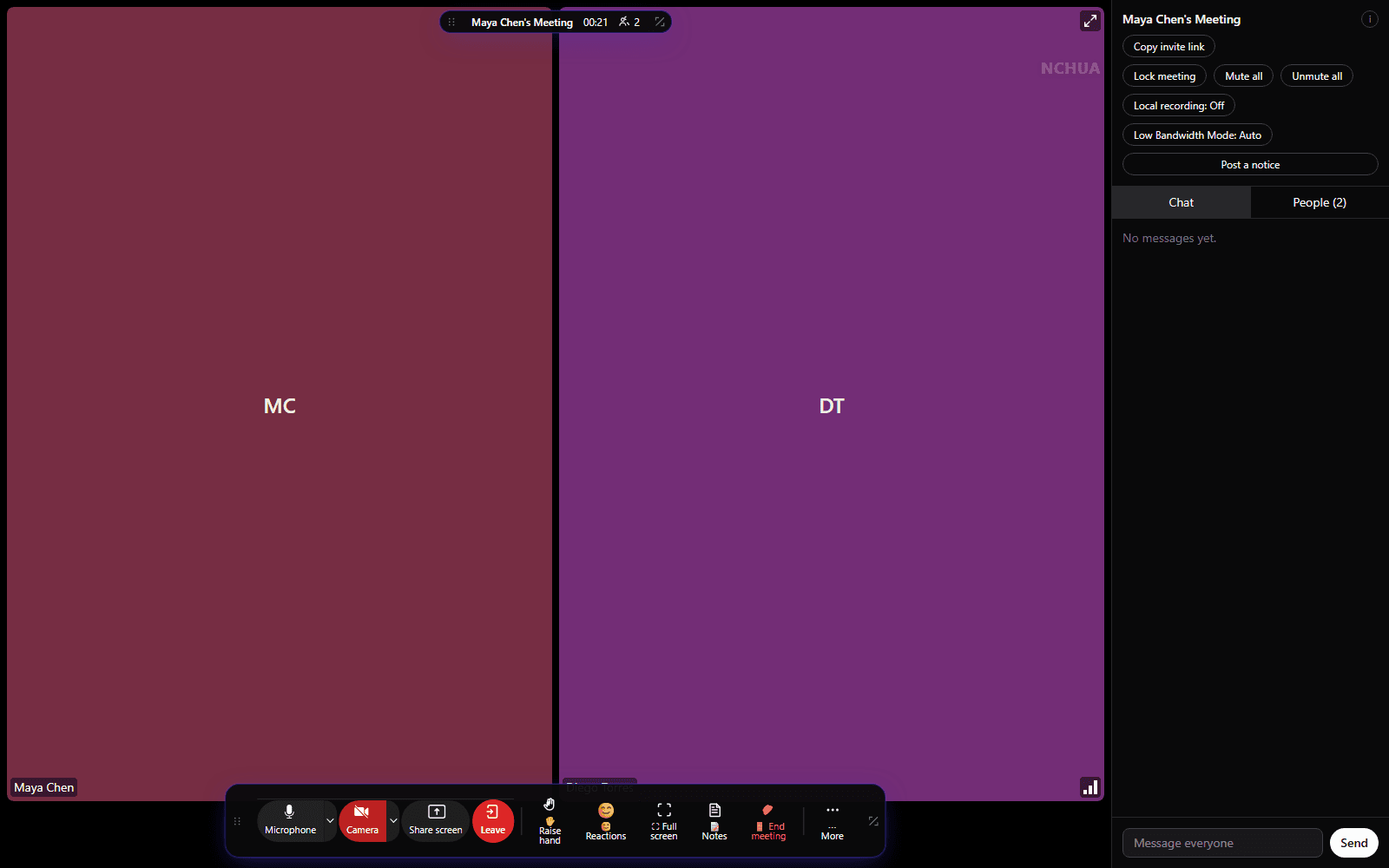
A meeting room that gets out of the way
Gallery and speaker views, clean top and bottom toolbars, and full-screen mode — so the controls are there when you need them and out of the way when you don't.
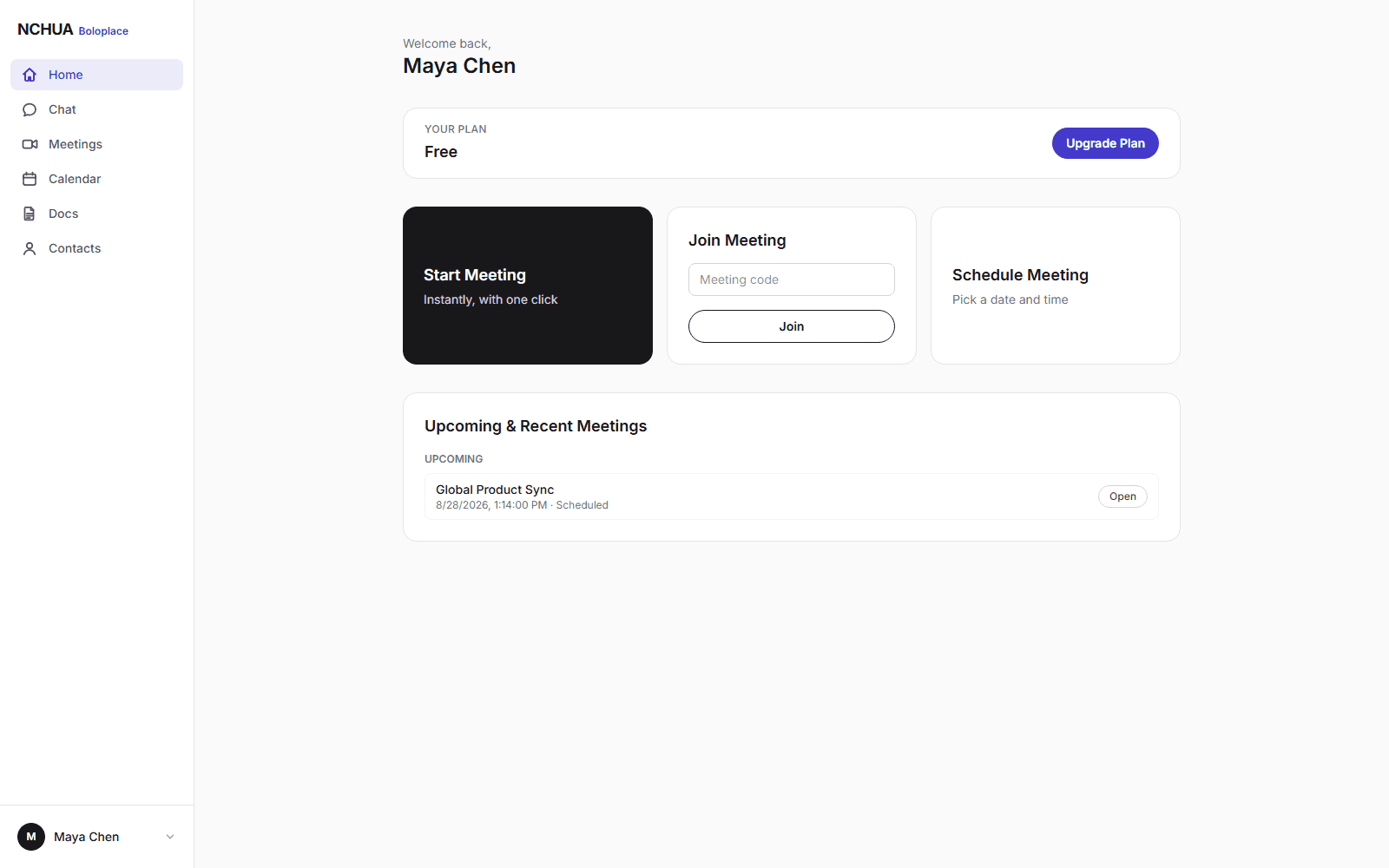
Start, join, or schedule in one click
Start a meeting instantly, join with a code, or schedule one ahead of time with an optional password and waiting room.
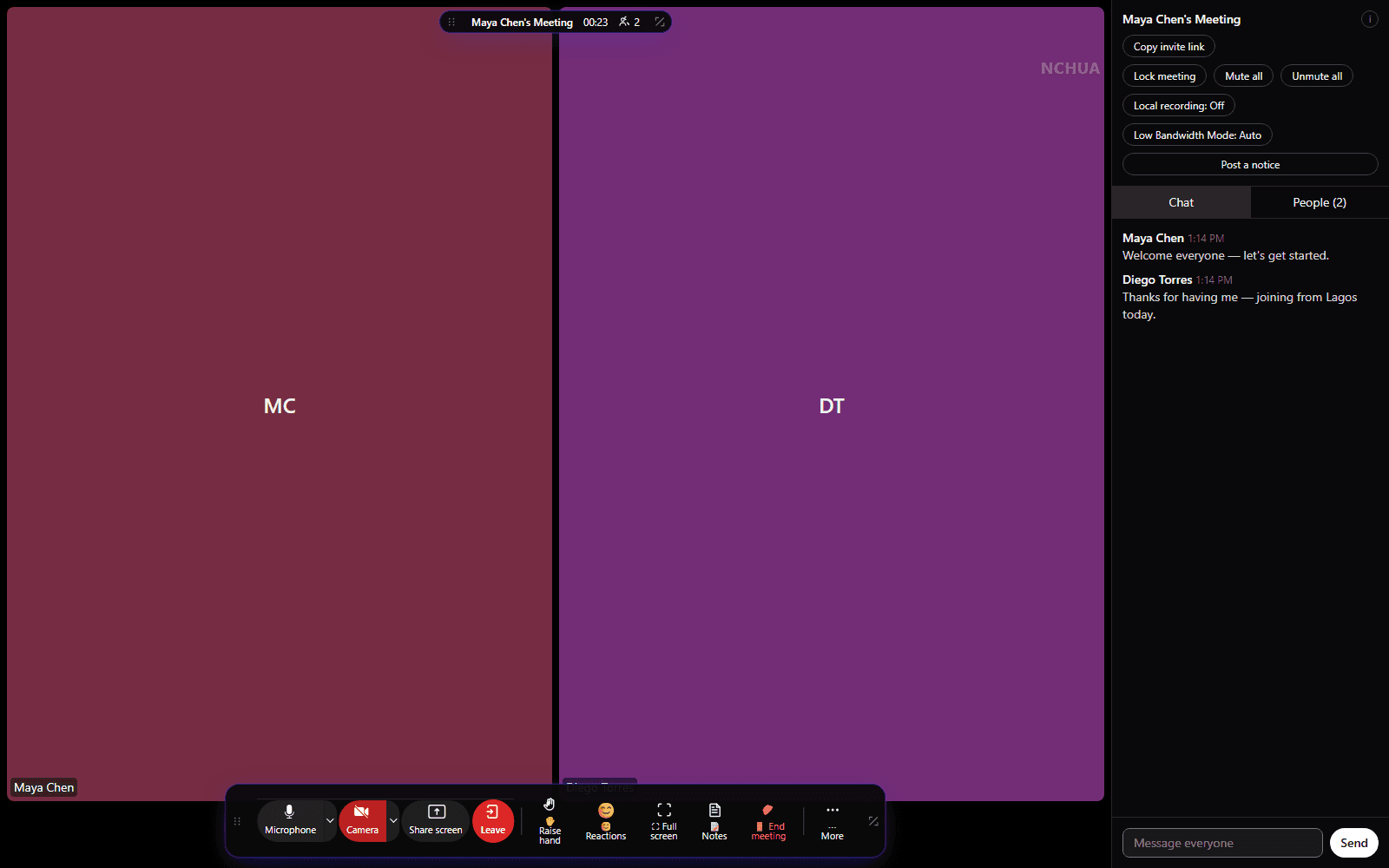
Chat without leaving the call
A live chat panel stays open beside the meeting, so a shared link or a quick note never interrupts the conversation.
Record the conversation
Start and stop recording from the meeting toolbar, with a clear on-screen indicator for everyone.
Automatic transcription
Completed recordings are transcribed automatically, so a meeting becomes something you can search.
AI meeting summaries
Key points and a summary are generated from the transcript once the recording finishes.
Everything you need to run a meeting
The full list lives on our Features page — grouped here around what a meeting actually needs.
Meetings
Start a meeting instantly
One click generates a secure meeting link you can share immediately.
Schedule ahead of time
Set a title, date, time zone, duration, optional password, and waiting room for meetings you plan in advance.
Gallery view
See every participant's video in a responsive grid layout.
Meeting chat
Send messages to everyone in the meeting without interrupting the call.
Collaboration
Breakout rooms
Split participants into sub-rooms for small-group discussion, then bring everyone back with one click.
Live polls
Ask a question mid-meeting and watch results update live, saved to the meeting record afterward.
Huddles
Start an instant call straight from any Team Chat conversation — no scheduling, just a click.
Translated live captions
Turn on live captions and read them translated into your own language, chosen per viewer.
Project management & ticketing
Departments
Organize your organization into departments, each with its own tasks, tickets, board, and chat.
Tasks & subtasks
Break work into tasks and subtasks, each with its own assignee, start date, and due date.
Kanban board
Track progress on a per-department board, from To do through Review to Done.
Backlog & sprints
Plan ahead with a backlog and fixed-length sprints — start one, pull in work, and complete it when the cycle ends.
IT-support tickets
Log a support ticket, assign it, set its priority, and convert it straight into a task once it's ready to work.
Async & self-serve
Clips
Record a short screen or webcam clip with no meeting required, and share it with a link.
Scheduler
Publish a public booking page so anyone can grab open time on your calendar without back-and-forth emails.
Host controls
Waiting room
Hold participants in a waiting room and admit or deny them one at a time before they join the call.
Mute and remove participants
Mute anyone's microphone or remove them from the meeting entirely.
Lock the meeting
Lock a meeting in progress so no one new can join, even with the link.
Meeting passwords
Require a password to join, kept hashed and never stored in plain text.
Reliability
Low Bandwidth Mode
Automatically detects a weakening connection and reduces video resolution and frame rate to keep the meeting stable — audio is always preserved first.
Automatic reconnection
Built on LiveKit's WebRTC infrastructure, designed to recover cleanly from brief network interruptions.
Works on any modern browser
No plugin or download required to join a meeting from a browser.
Plans for teams of every size
Meetings are unlimited in number and duration on every paid plan. Participant counts and recording allowances scale with your plan.
Meetings FAQ
Do participants need to create an account to join?
No. Unless the host requires authentication, anyone with the meeting link can join as a guest by entering their name.
What happens if my connection gets weak mid-meeting?
NCHUA preserves audio first. It automatically reduces video quality, and only pauses incoming video as a last resort — restoring everything once your connection recovers.
Is there really a free plan, or is it a trial?
Free is a real plan, not a time-limited trial: up to 100 participants and unlimited meetings, capped at 50 minutes per meeting.
Which devices and browsers are supported?
Any modern browser — Chrome, Edge, Firefox, or Safari — on Windows, macOS, Linux, Android, or iOS. See the Download page for what's available today.
Ready to start your first meeting?
No credit card required. Create a free account and get a meeting link in seconds.